The superclass jakarta.servlet.http.HttpServlet was not found on the Java Build Path
✒️ 2025-05-16 09:30 내용 수정
- 참고 자료 : 컴공 K's 이클립스 The superclass "jakarta.servlet.http.HttpServlet" was not found on Java Build Path 에러
- 에러가 난 상황 : 학원에서 수업 때 사용한 프로젝트를 github에 올려둔 후 집에서 프로젝트를 받아 workspace에 넣고 실행하던 중 발생했다.
- 실행 시 Eclipse에서 에러가 뜨며 서버가 아예 실행되지 않았다.
- 에러 화면

-
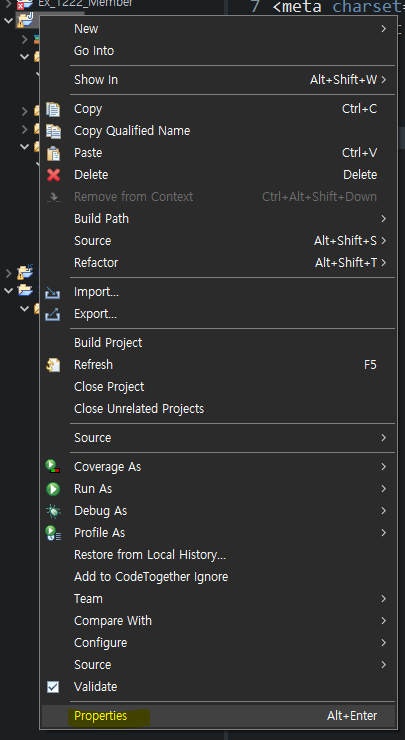
에러가 발생한 프로젝트를 Eclipse 탐색기에서 우클릭을 눌러 Properties를 선택한다.
-
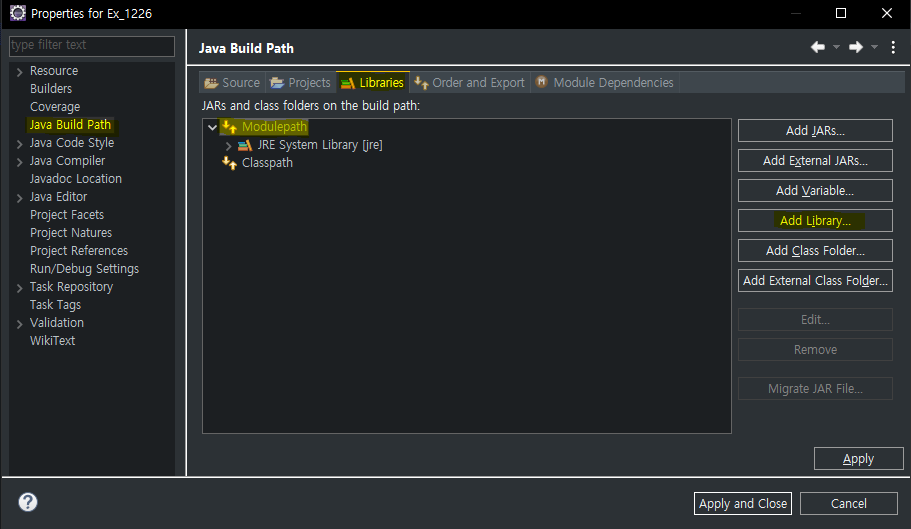
Java Build Path - Libraries에서 Modulepath를 선택한 후 Add Library를 누른다.
-
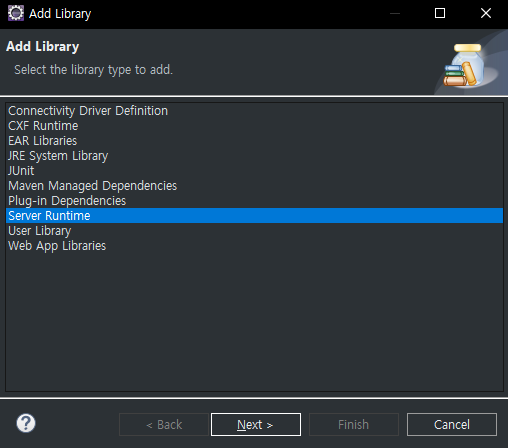
Server Runtime을 선택한 후 Next를 누른다.
-
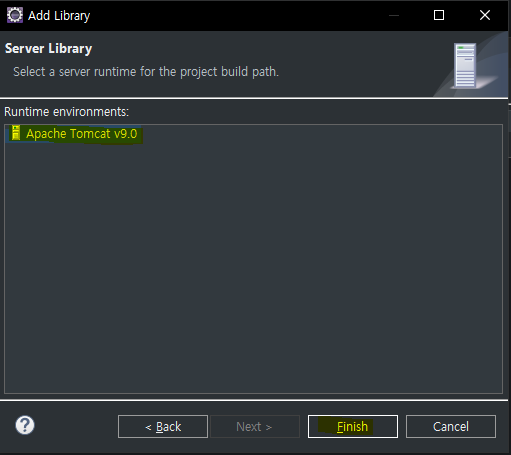
Apache Tomcat v9.0을 선택하고 Finish를 누른다.
-
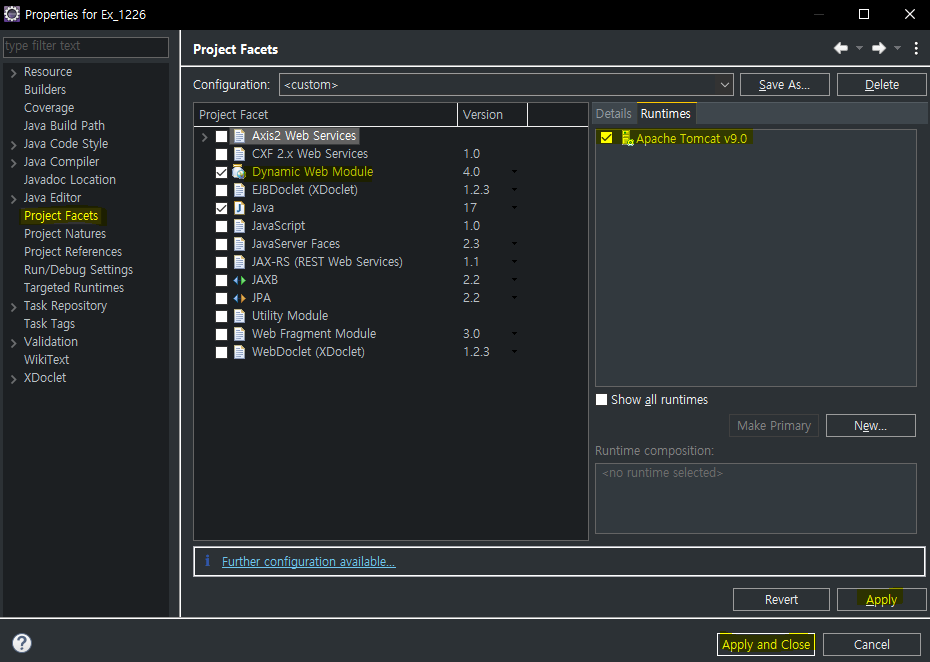
Project Facets를 눌러 아래같은 화면이 안뜨면 파란 글씨를 일단 누르고, Runtimes - Apache Tomcat v9.0을 체크한 다음, 왼쪽의 Project Facet에서 Dynamic Web Module을 체크해준 뒤 Apply - Apply and Close를 누른다.
-
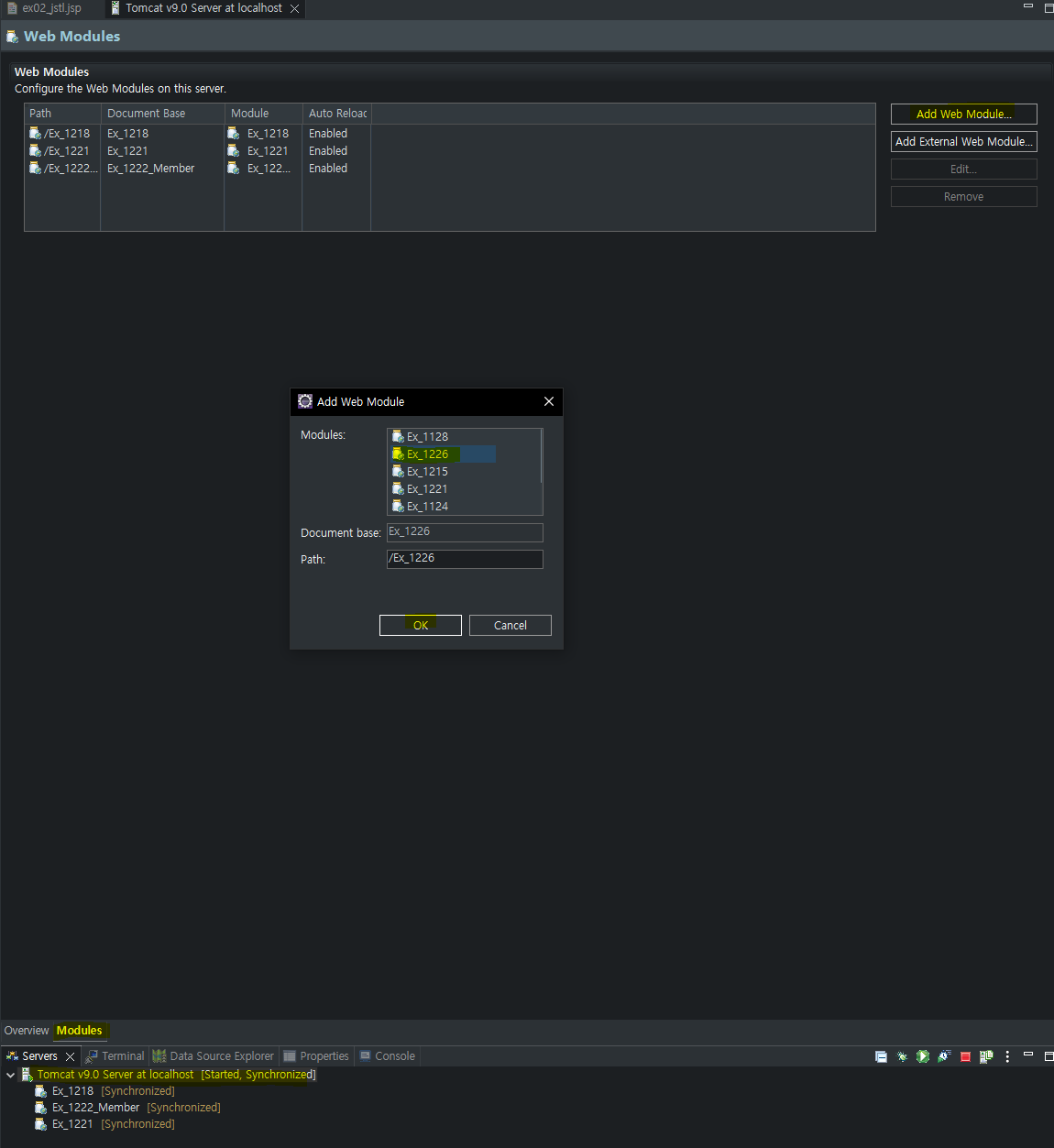
Eclipse 하단의 Servers에서 서버를 더블클릭 후 Modules를 누른 뒤 Add Web Module을 눌러 추가할 프로젝트를 선택한다.
-
다시 실행하면 페이지가 연결됨을 확인할 수 있다.
